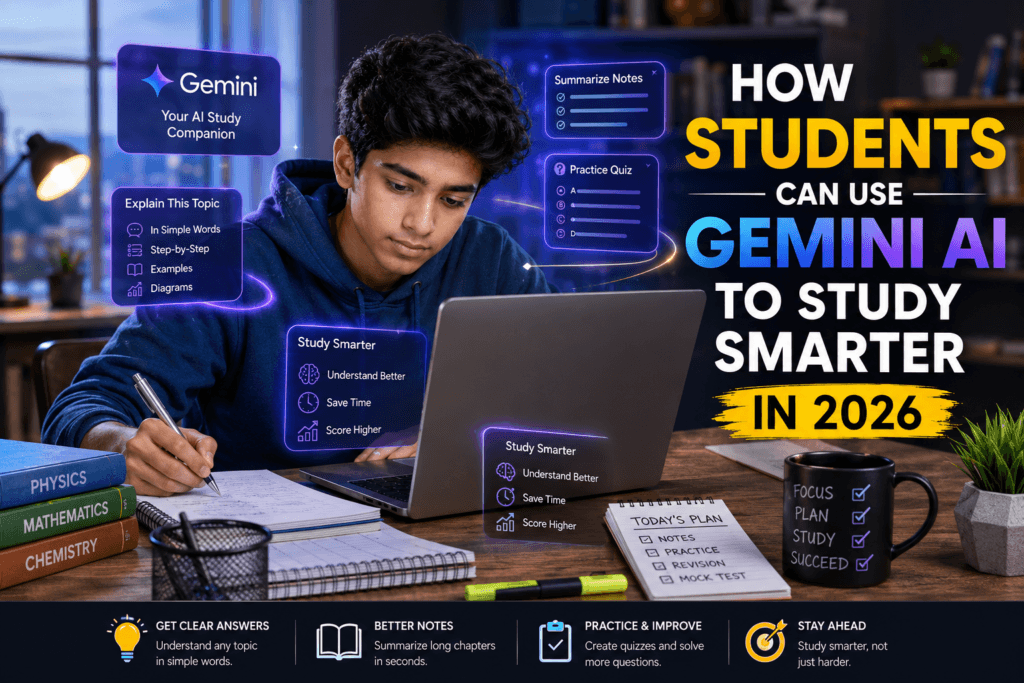
Smart Study With Gemini AI
Imagine having a friendly tutor who never gets tired, answers almost any question, and helps you understand tough topics in simple words. That’s what Gemini AI for students can feel like in 2026.
In this guide, you’ll learn how students can use Gemini AI to study smarter in 2026, step by step. You’ll see:
- What Gemini AI really is
- How it helps in homework, notes, and exams
- Great Google Gemini study prompts you can copy and use
- The good, the bad, and the boundaries
- How to avoid common mistakes
- And how it compares to other best AI tools for students
The whole article is in simple English, with short paragraphs and real‑life examples. Even an 8–10 year old student can read and understand it. Let’s start with the basics.
What is Gemini AI?
Gemini is an AI assistant made by Google that understands your questions and gives you answers in clear, natural language. Google Gemini Official Website
Think of it like:
- A super‑fast search engine that explains things in your own words
- A study buddy who can help you write, summarize, translate, and organize your work
You can use Gemini on:
- Your phone (Google app or Chrome)
- Your laptop (via the web)
- Some school devices, depending on your school’s rules
In 2026, Gemini is smarter and more student‑friendly than ever, which makes how to use Gemini AI for studying easier and more fun.
How Gemini AI Helps Students Study Smarter
Gemini is not magic, but it can seriously boost your study life if you use it right. Here’s how students can use Gemini AI to study smarter in 2026.
1. Understanding difficult topics
If a lesson feels confusing, you can ask Gemini to:
- Explain a science concept in simple words
- Break down a math formula step by step
- Give a short example in your own language (like Hindi‑English mix)
Example:
You can type:
“Explain photosynthesis like I’m 10 years old, in simple English.”
Gemini will reply in short sentences, maybe even with a little example you can remember in class.
2. Homework help (not copying)
Gemini can help you think, not think for you.
You can:
- Ask it to check your answers
- Help you fix mistakes in a paragraph
- Explain why a math step is wrong
Example prompt:
“Check this math solution and tell me where I made a mistake.”
Then paste your working.
That way, you learn from your errors instead of just copying the final answer.
3. Making summaries and notes
Long chapters, long notes, and messy class notes are easier to handle with Gemini AI for students.
You can:
- Paste your class notes and ask Gemini to summarize them in 5–7 points
- Ask it to convert a long paragraph into bullet points
- Create a short revision sheet before exams
Example:
“Summarize this history chapter in 8 bullet points for quick revision.”
Now you have a small, ready‑to‑read revision sheet instead of a big textbook.
4. Practice questions and quizzes
Gemini can turn your notes into practice questions on the spot.
You can ask:
- “Create 5 short‑answer questions from these notes.”
- “Make 3 MCQs with options and answers.”
- “Generate a 10‑minute quiz on this topic.”
How it helps:
- You test yourself before real exams
- You discover what you still don’t understand
- You train your brain to recall answers quickly
This is one of the smartest ways to use Gemini AI for studying in 2026.
5. Language help and writing skills
Many students in India study in English but think in Hindi or other regional languages. Gemini can help you move smoothly between them.
You can:
- Ask it to translate a sentence from Hindi to English
- Help you write a clean paragraph for your project
- Improve your grammar and spelling
Example prompts:
“Correct this sentence and make it simple and clear.”
“Write a 10‑line paragraph about pollution for my school project.”
Gemini will rewrite it in smooth, school‑friendly English that still sounds natural.
Explaining diagrams and processes
Some lessons are full of diagrams—like in science or geography.
You can:
- Ask Gemini to describe a diagram in words
- Help you write the steps of a process in your own language
For example:
“Explain the water cycle diagram step by step like I’m a Class 7 student.”
Now you can read the explanation and then match it with the diagram in your book.
How to Use Gemini AI for Studying: Step‑by‑Step
Now let’s move from “Gemini is cool” to concrete, ready‑to‑use habits. These steps work for almost any subject.
Step 1: Keep your notes ready
Before you open Gemini, collect:
- Your textbook chapter
- Class notes or teacher’s PDF
- Any diagram or formula you want to understand
You don’t need to type everything, but you should be clear about what you’re asking.
Step 2: Ask specific questions
Bad question:
“Explain science.”
Good questions:
- “Explain photosynthesis in simple language.”
- “List the steps of respiration in humans.”
- “Define ecosystem and give 3 examples.”
Tip: The clearer your question, the better Gemini answers.
Step 3: Use short, focused prompts
Long walls of text are hard to read. Gemini prefers short, to‑the‑point prompts.
Good style:
- “Explain Newton’s First Law in 4–5 lines for a Class 9 student.”
- “Give me 5 exam‑style questions on the Indian Constitution.”
This is how you unlock Google Gemini study prompts that actually work.
Step 4: Check, don’t copy
Always remember: Gemini is your helper, not your slave.
Do this:
- Read the answer and try to understand it
- Rewrite it in your own words
- Compare it with your textbook or class notes
If something looks wrong, search or ask your teacher.
Best Google Gemini Study Prompts for Students
Here are ready‑to‑use prompts you can copy‑paste and tweak for your own subjects.
For understanding a topic
- “Explain [topic name] in simple words as if I’m 10 years old.”
- “Describe the process of [topic] in 6 bullet points.”
- “What are the 5 main points I must remember from this chapter?”
For homework and assignments
- “Check my paragraph for grammar and make it clearer.”
- “Correct and simplify this answer for my school assignment.”
- “Help me write a 10‑line project report on [topic] in simple English.”
For revision and exams
- “Create a 10‑minute revision sheet for [chapter] in bullet points.”
- “Make 5 short‑answer questions and 3 MCQs with answers from these notes.”
- “Summarize this chapter in 5 points for quick last‑minute revision.”
For math and science problems
- “Explain step by step how to solve this equation.”
- “What concept is this question based on? Explain it simply.”
- “Check my solution and tell me where I made a mistake.”
For reading and writing skills
- “Translate this Hindi paragraph into simple English.”
- “Rewrite this paragraph in easier words without changing the meaning.”
- “Write a short paragraph on [topic] for my school project.”
Save these Google Gemini study prompts in a note or sticky on your phone so you can pull them out anytime.
Benefits of Gemini AI for Students
Why should students in 2026 care about Gemini? Here are the big benefits:
1. Faster understanding
Instead of reading the same page 5 times, you can ask Gemini to explain it in your own level.
- You get answers quickly.
- You can replay the explanation in your mind.
2. Better notes and revision
Gemini helps you:
- Turn long chapters into short notes
- Make clean, organized summaries
- Create quick revision sheets before exams
This makes your study time sharper and shorter.
3. Practice anywhere, anytime
You don’t need a teacher constantly.
- You can test yourself with quizzes
- You can clear doubts on your own
This is especially useful for students preparing for board exams, JEE, NEET, or school tests.
4. Builds confidence in English and writing
Many students fear writing in English. Gemini gives you:
- Clean, simple sentences
- Correct grammar
- Natural examples
When you see good English in front of you, you start copying it in your own way.
Limits and Risks: What Gemini Cannot Do
Gemini is powerful, but it’s not perfect. Students must know the limit and dangers.
1. Gemini can be wrong
Sometimes Gemini:
- Gives outdated facts
- Misremembers formulas
- Mixes up similar concepts
Always cross‑check with your textbook or teacher for:
- Exact formulas
- Historical dates
- Scientific definitions
2. It cannot think like a human
Gemini:
- Does not “feel” whether an answer is right
- Does not understand your emotions
- Cannot decide what is morally right or wrong
So treat it like a tool, not a judge.
3. Over‑dependence is dangerous
If you:
- Always rely on Gemini for answers
- Never try to solve questions yourself
- Never revise without AI
You lose the habit of independent thinking. That hurts in exams and real life.
How to Use Gemini AI Responsibly
Using Gemini AI for students is great. Using it responsibly is even better.
1. Use it as a helper, not a cheat
Responsible use:
- Ask Gemini to explain
- Ask it to check your work
- Ask it to suggest practice questions
Not responsible use:
- Copying full answers without understanding
- Letting Gemini write your project word‑for‑word
- Using it to cheat in exams
Teachers and schools are starting to detect AI‑written content. The safest way is to use AI as a guide, not a ghostwriter.
2. Always write in your own words
After reading Gemini’s answer:
- Close Gemini
- Try to write the same idea in your own words
- Add your own examples
This trains your brain and keeps your work original.
3. Ask your teacher when in doubt
If Gemini’s answer is confusing or different from your book:
- Ask your teacher
- Show both answers
- Let the teacher explain why one is correct
This also builds trust with your teachers.
4. Protect your privacy
Don’t share:
- Exact exam papers before they are over
- Private details like your full address or ID
- Sensitive photos or documents
Just like you don’t share your diary with strangers, keep personal data safe.
Common Mistakes Students Make with Gemini
Many students unintentionally use Gemini in a bad way. Avoid these mistakes:
1. Copying answers without thinking
Mistake:
- Students paste long questions and copy the full answer.
Better habit:
- Read the answer, understand it, then rewrite it yourself.
2. Ignoring textbooks and class notes
Mistake:
- Only believe what Gemini says and ignore your teacher or book.
Better habit:
- Use Gemini as an extra helper, not the only source.
3. Using Gemini for everything
Mistake:
- Letting Gemini write all your homework, projects, and notes.
Better habit:
- Use it for understanding, checking, and practicing.
- Do the main work yourself.
4. Not checking facts
Mistake:
- Taking every number or date Gemini gives as 100% true.
Better habit:
- For important facts, check:
- Your textbook
- Your teacher
- Reputable websites or school material
Comparison with Other Best AI Tools for Students
Gemini is not the only AI tool for students. Here’s a quick, simple comparison so you can choose what works for you.
Gemini vs ChatGPT
| Feature | Gemini | ChatGPT |
|---|---|---|
| Made by | OpenAI | |
| Works best with | Google account, Chrome, Android | Independent app and website |
| Best for | Quick answers, homework help, summaries | Longer essays, creative writing, detailed explanations |
Both are good, but Gemini is more student‑friendly for short, practical help.
Gemini vs Other AI Learning Apps
Some apps are made specially for:
- Math practice
- English grammar
- Test‑like quizzes
Gemini’s advantage:
- It’s free (with a Google account)
- It works across many subjects
- It’s easy to use on your phone and laptop
Always check what your school allows.
How Students Can Use Gemini AI in Daily Study Routine
Let’s make this very practical. How can you use Gemini in your daily timetable?
Morning (before school)
- 10 minutes: Ask Gemini to summarize yesterday’s lesson in 5 points.
- This gives you a quick mental warm‑up before class.
After school (homework time)
- For every subject, start with:
- “Explain this topic in 6 lines.”
- Then solve questions yourself.
- After finishing, ask:
- “Check my answers and tell me if I did anything wrong.”
Before exams
1–2 days before:
- Ask Gemini to create a short revision sheet for each chapter.
- Then read it out loud or write it down by hand.
1 hour before:
- Ask for a 5‑question mini‑quiz and test yourself.
This simple routine turns how to use Gemini AI for studying into a habit, not a one‑time trick.
Real‑Life Study Use Cases in 2026
Let’s see how students in 2026 are using Gemini in real life.
Case 1: Math student stuck on algebra
Student:
- Reads a question in the book but doesn’t understand the steps.
They type:
“Explain step by step how to solve 2x + 5 = 15.”
Gemini:
- Breaks down each step simply.
- Gives a similar example.
Now the student can solve the same type of questions on their own.
Case 2: Science student preparing for exams
Student:
- Has a long chapter on “Cell – Structure and Function.”
They paste key points and ask:
“Summarize this in 8 bullet points and make it easy to remember.”
Gemini:
- Creates a short revision sheet.
- Adds a small example under each point.
Now the student can revise the whole chapter in 10–15 minutes.
Case 3: Student improving English writing
Student:
- Needs to write an essay on “Importance of Trees.”
They first:
- Jot down rough points in Hindi or mixed language.
Then ask Gemini:
“Write a 12‑line essay on importance of trees in simple English.”
After reading, they:
- Memorize key phrases
- Write their own version in class
This builds confidence in English writing without copying.
Tips to Use Gemini AI Smartly in 2026
Here are simple, powerful tips every student should follow.
1. Use short, clear prompts
Long, messy questions get messy answers. Use:
- Clear topic
- Your class level
- What you want (explain, summarize, quiz, etc.)
Example:
“Explain photosynthesis like I’m Class 7.”
2. Mix Gemini with old‑school methods
Best result comes from:
- Reading your book
- Listening in class
- Using Gemini to repeat, clarify, and practice
Focus on understanding, not just answers
Ask yourself:
- “Did I actually understand this?”
- “Can I explain this to my friend now?”
If not, go back and ask Gemini again in a simpler way.
Keep a “Gemini‑Helped Notes” file
Make a simple folder or notebook:
- What was the topic?
- What question did you ask Gemini?
- What did you learn?
This helps you track your progress and see how Gemini AI for students improves your learning.
Final Recommendations for Students
By now you know:
- What Gemini AI is
- How students can use Gemini AI to study smarter in 2026
- The best Google Gemini study prompts
- The limits and responsible habits
To finish, here are quick, clear recommendations:
- Treat Gemini as a smart study buddy, not a cheat button.
- Always write in your own words, even if you copy the idea.
- Use it for understanding, checking, and practice, not for doing all your work.
- Combine it with books, teachers, and your own notes.
If you follow this,
FAQ
Q1: What is Gemini AI for students? Gemini AI for students is Google’s AI assistant that helps you understand lessons, check homework, make notes, and practice questions in simple language.
Q2: How to use Gemini AI for studying without cheating? Always treat Gemini as a helper, not a cheater. Use it to explain topics, check mistakes, and make practice questions. Write your answers in your own words and never copy full paragraphs.
Q3: Can Gemini replace my teacher or textbook?
No. Gemini is a tool, not a teacher. Use it to clarify doubts and revise, but always follow your textbook, class notes, and your teacher’s guidance.
Q4: Is Gemini safe for students to use?
Yes, as long as you use it responsibly: don’t share private details, double-check important facts, and don’t use it to cheat in exams.
Q5: How is Gemini different from other AI tools for students?
Gemini works well with Google services and helps across many subjects. 7 Best AI Tools for Students in 2026 That Top Performers Are Actually Using
Q6: Can I use Gemini for exam preparation?
Yes. You can ask Gemini to summarize chapters, make revision sheets, and create short quizzes. Just remember to revise with your own notes and textbook as well.
Ready to Study Smarter and Stay Ahead in 2026?
If you’ve made it this far, one thing is clear: students who learn how to use AI tools like Gemini effectively will have a real advantage in 2026 and beyond.
Gemini AI can help you understand difficult topics faster, create better notes, and prepare for exams more efficiently. But this article is just the beginning.
At KT Hope, we publish practical, easy-to-understand content on AI tools, study strategies, digital growth, and the future of technology so you can turn information into real results.
If you’d like to learn more about who’s behind this website, get in touch directly, or explore more insightful articles, use the options below.
Your next breakthrough in learning, career growth, or personal success could be just one click away.